
Posting your job on Agency Vista allows you to reach the world's largest network of marketers with agency expertise to connect your job with qualified candidates. You can post your job opening in minutes, track applicants, and can promote your opening to increase engagement. This article shows you how to create a job post in your Agency Vista profile.
How to post jobs in your agency profile
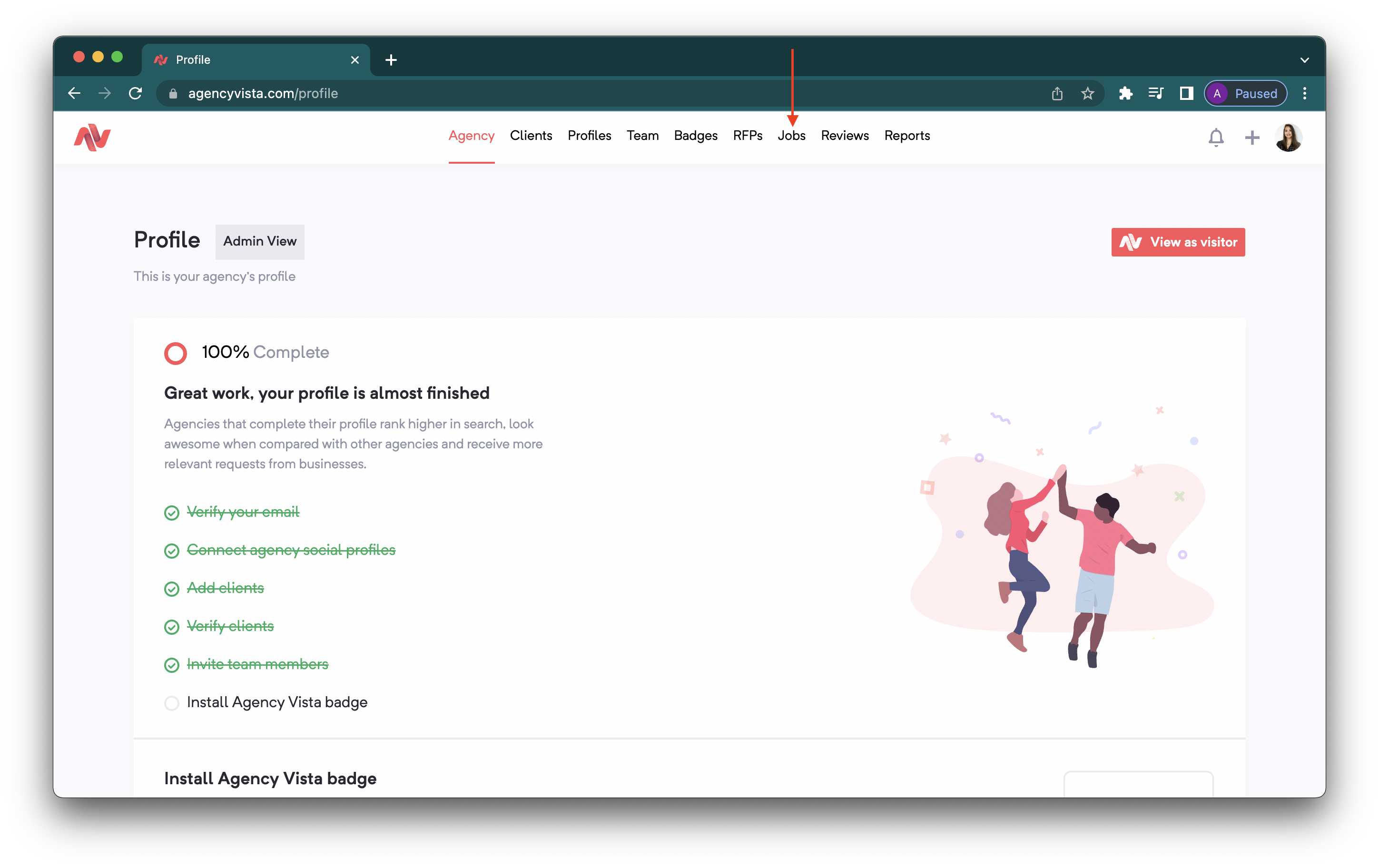
1. Login to your agency profile and select Jobs.
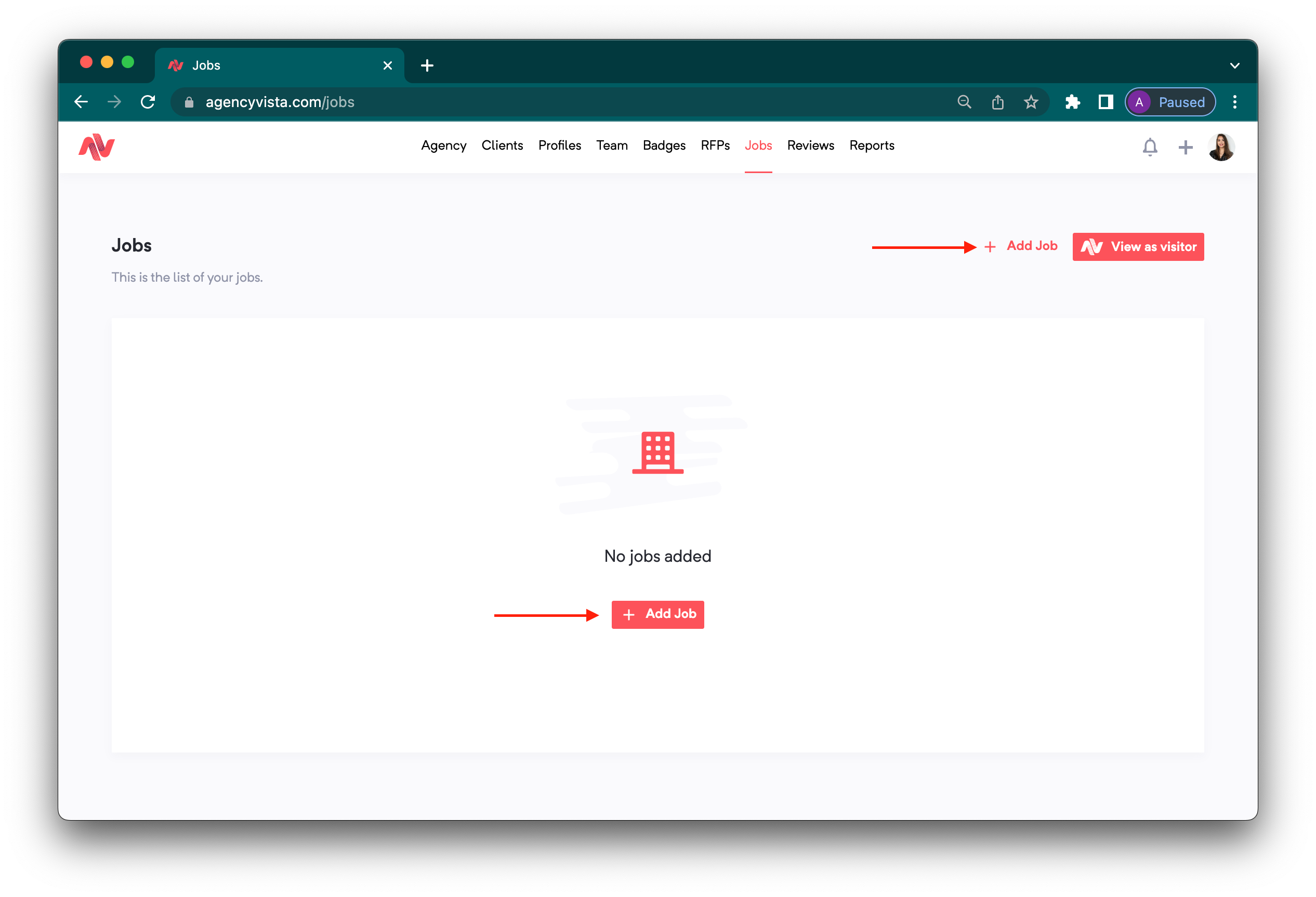
2. Click Add Job.
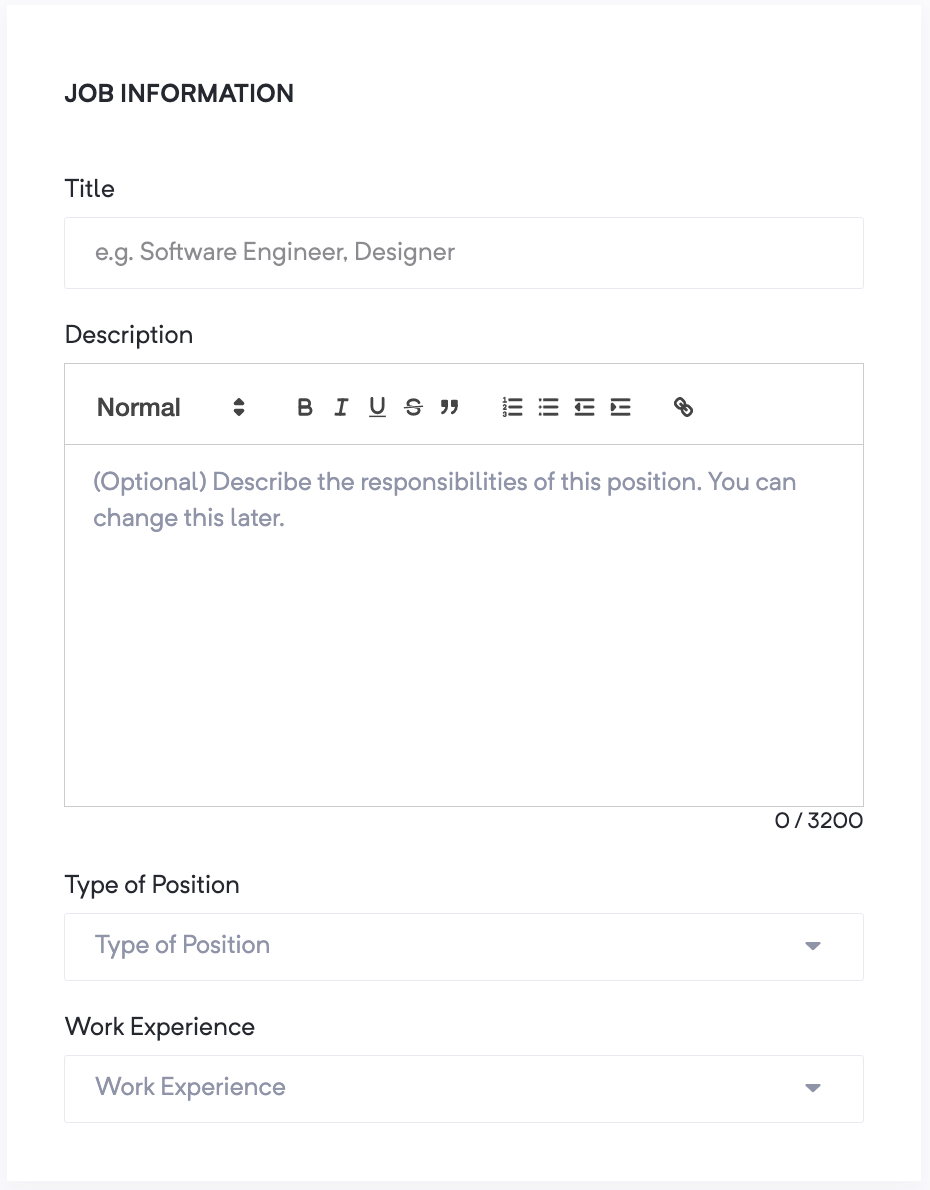
3. Fill out the Job Information required:
- Title (e.g. Software Engineer)
- Job Description
- Type of position: Co-Founder, Contractor, Full-time Employee, Intern
- Work Experience (how many years of experience needed?)
- Compensation Type: Hourly, Monthly, Annually
- Range of Compensation
- Currency
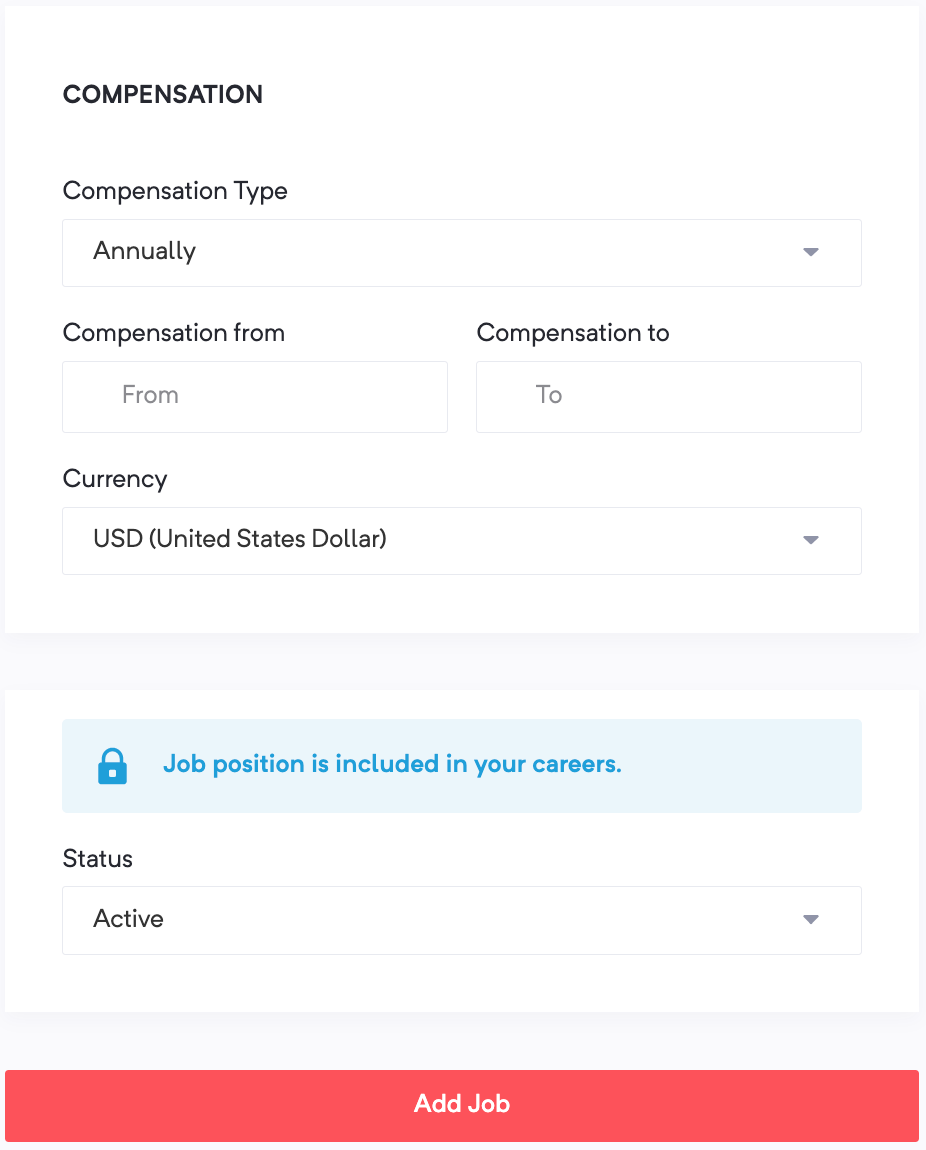
4. Once done, click Add Job to complete!
Check out this video to learn more about posting jobs in Agency Vista:
Comments
0 comments
Please sign in to leave a comment.