
Increase your profile visibility by connecting your partner badges and unlock new high-traffic placements on Agency Vista. Adding certification or partnership badge on your agency profile assures businesses the authenticity of your agency and increases your credibility in the industry. This article shows you how to connect your partner badges on your agency profile so it will be publicly visible for the businesses to see.
How to connect your marketing partner badge
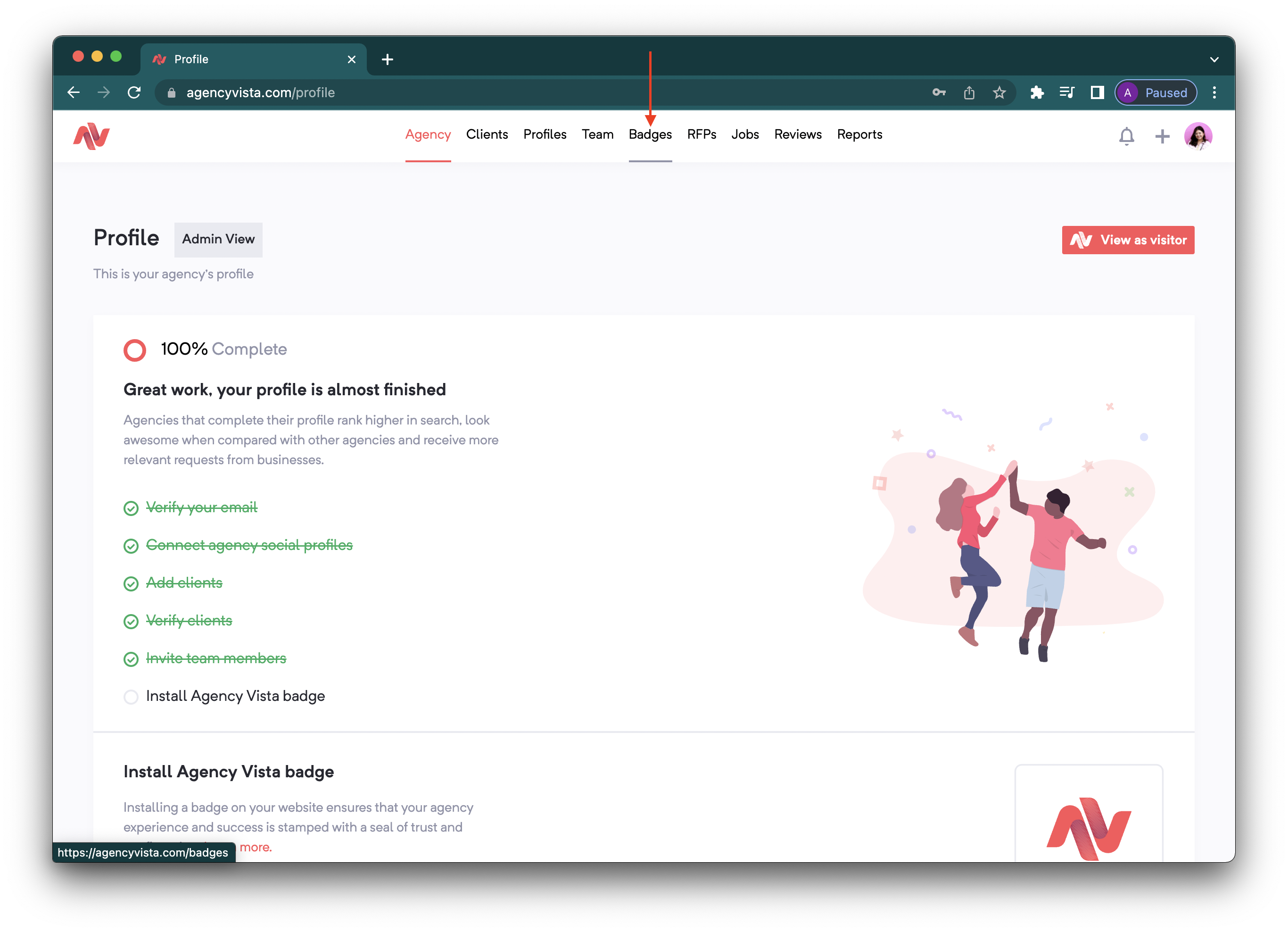
1. Login to your agency profile and go to Badges.
2. Click Claim badge. 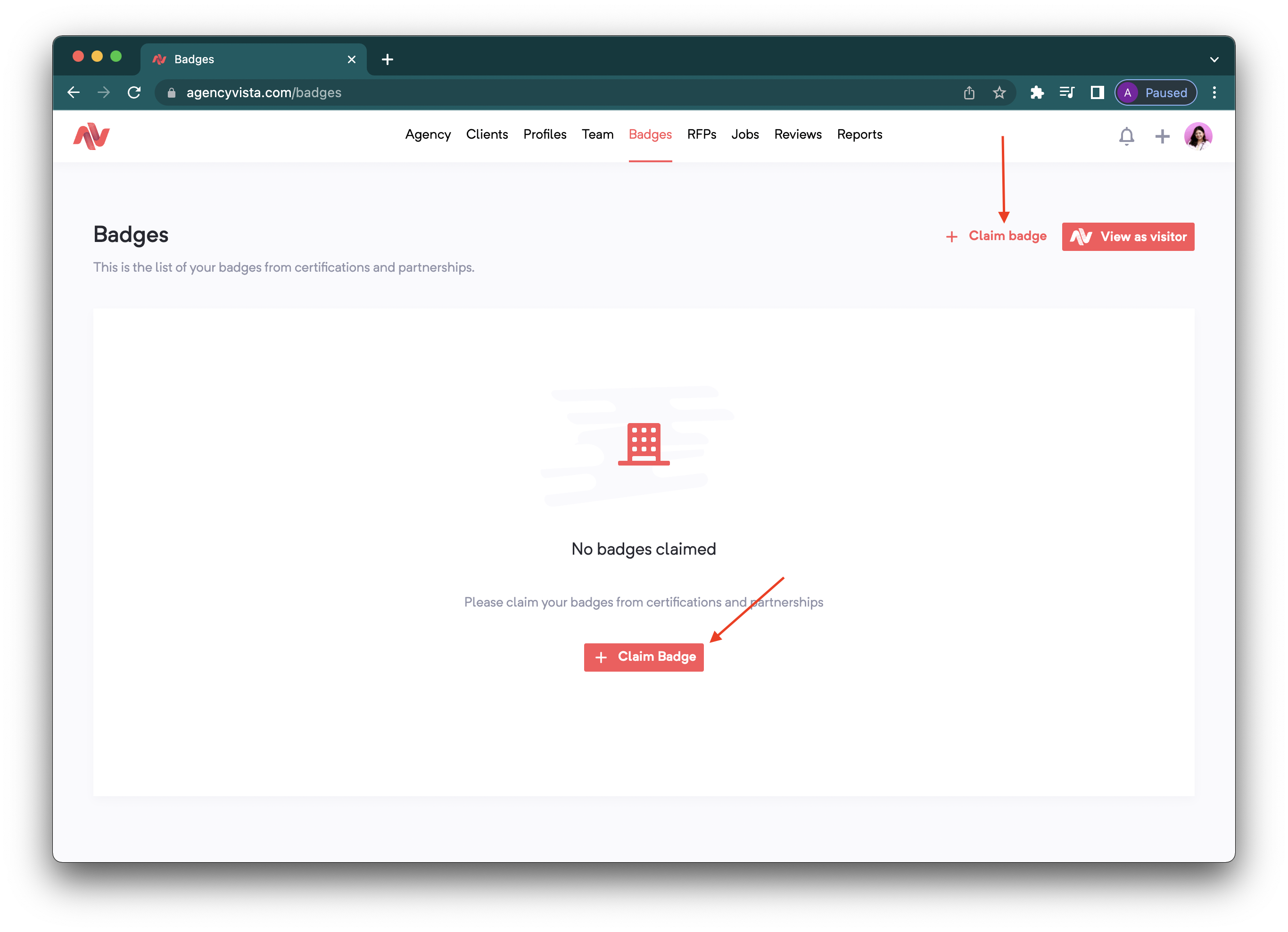
3. Click on the dropdown to see a list of available partnership/certification programs. 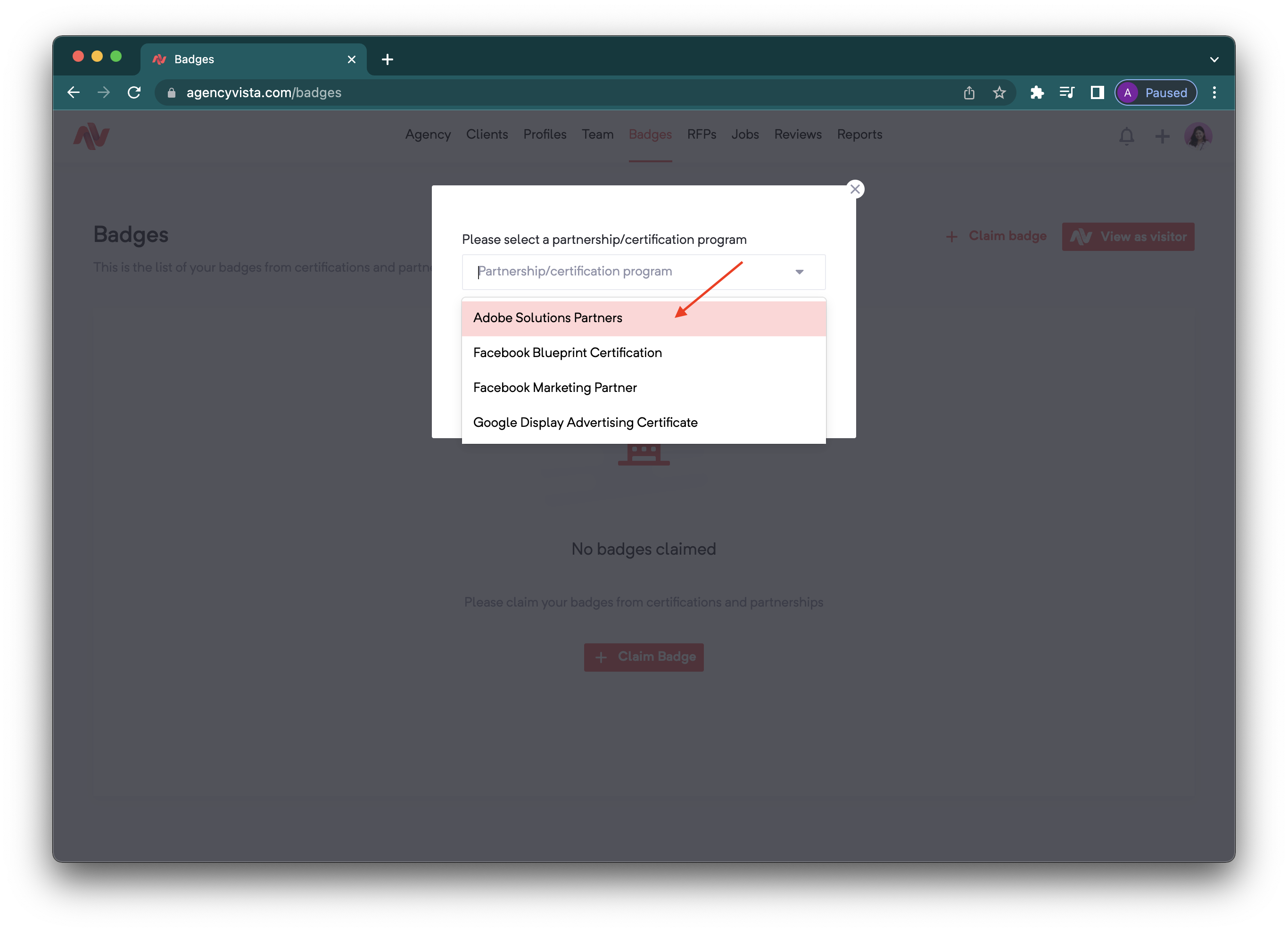
4. Choose a program and add the link of where your certification page is located. Click Continue to verify the certificate. 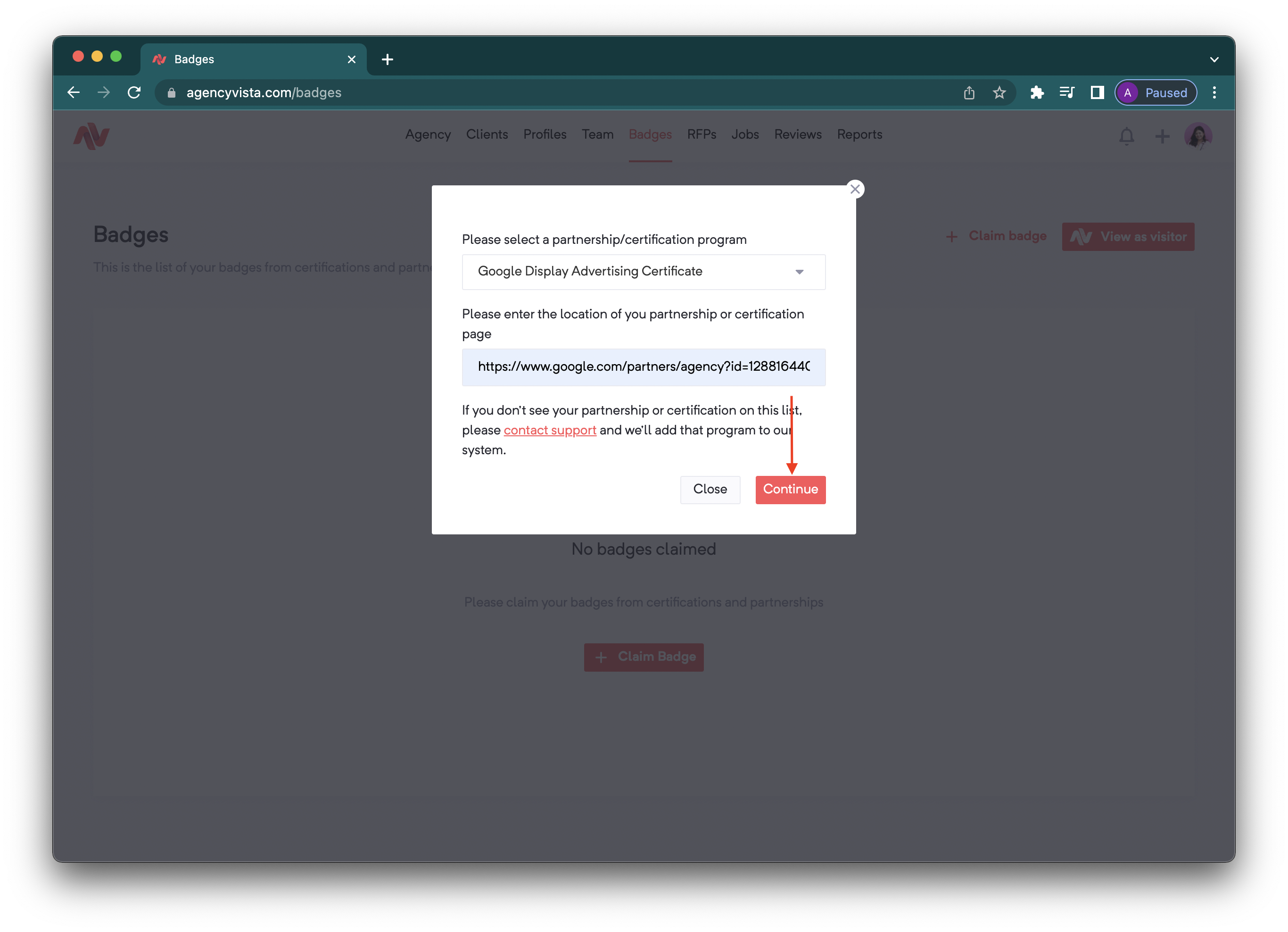
5. Once added, the certification will now appear in your profile under Badges and will be visible on your public profile moving forward.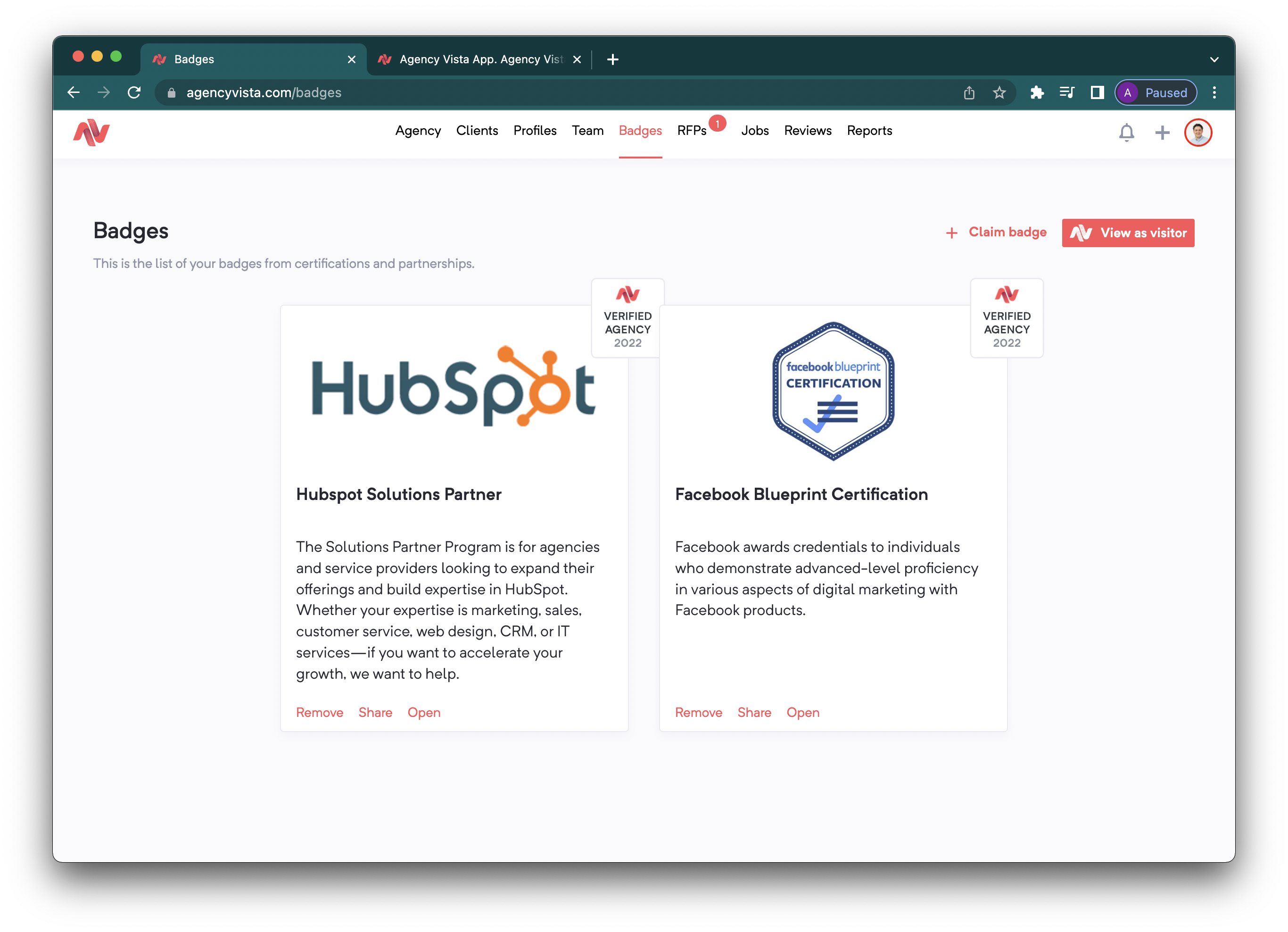
Check out this video to learn more about marketing partner badges:
Comments
0 comments
Please sign in to leave a comment.