
Verifying a client is another step in our verification that gives businesses the confidence that they’re working with a reliable agency. When you authenticate this information, you will be increasing the number of searches your agency profile can appear. This article shows you how to verify clients and make them appear in your agency profile.
How to verify clients
1. Add a client to your agency profile.
2. On your list of clients, click on the client that you want to verify.
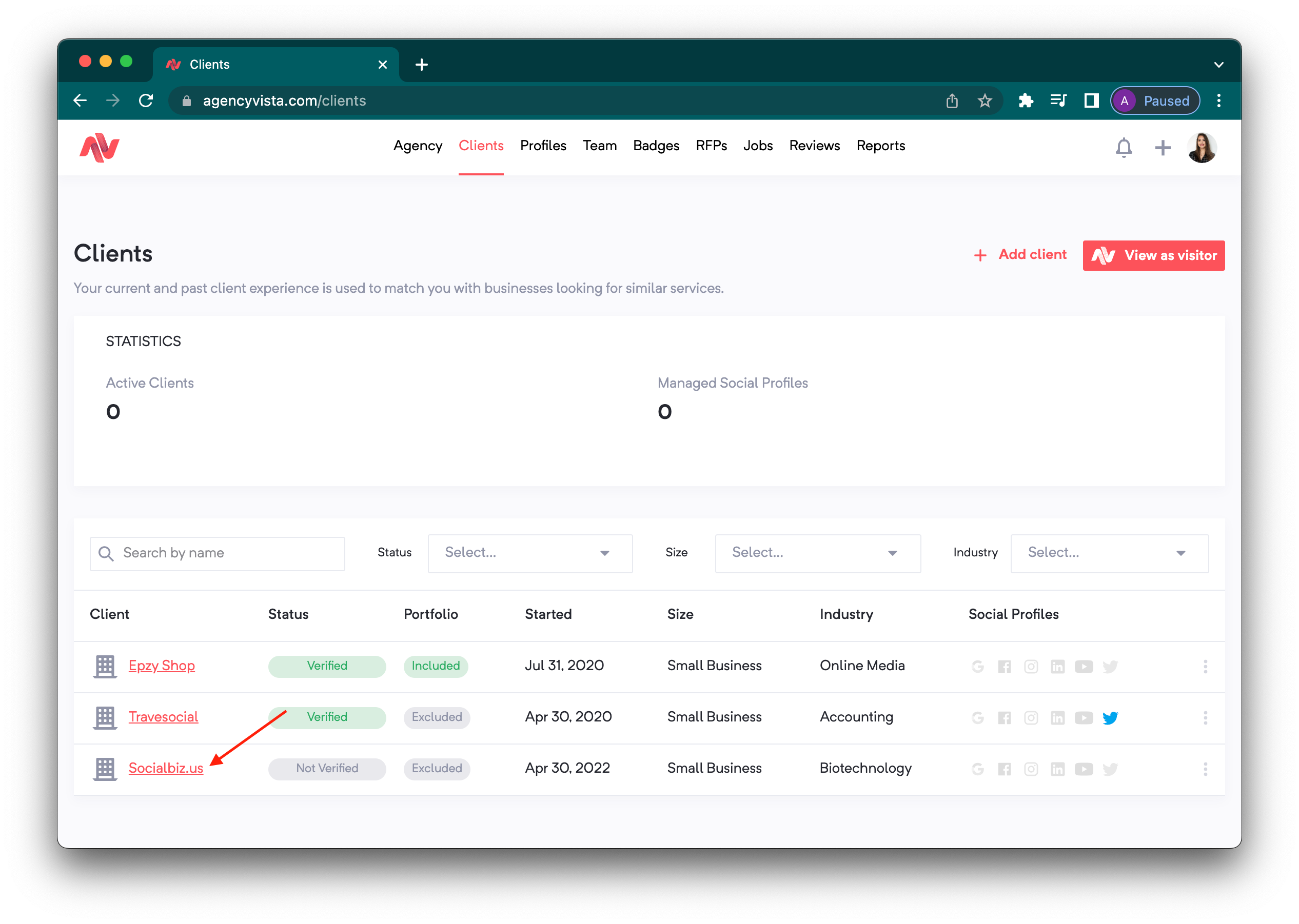
3. Click Verify on the upper right hand of the page.
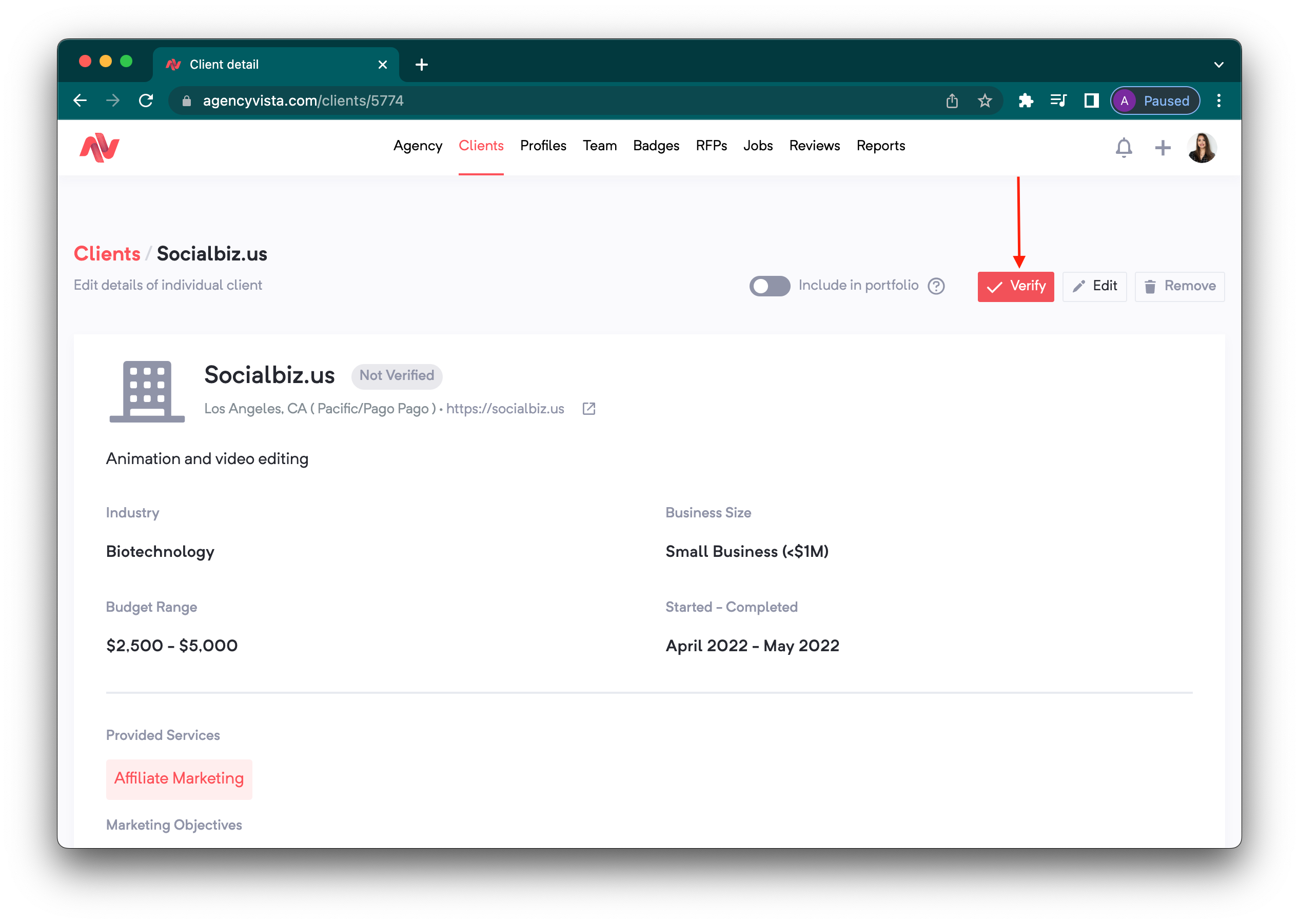
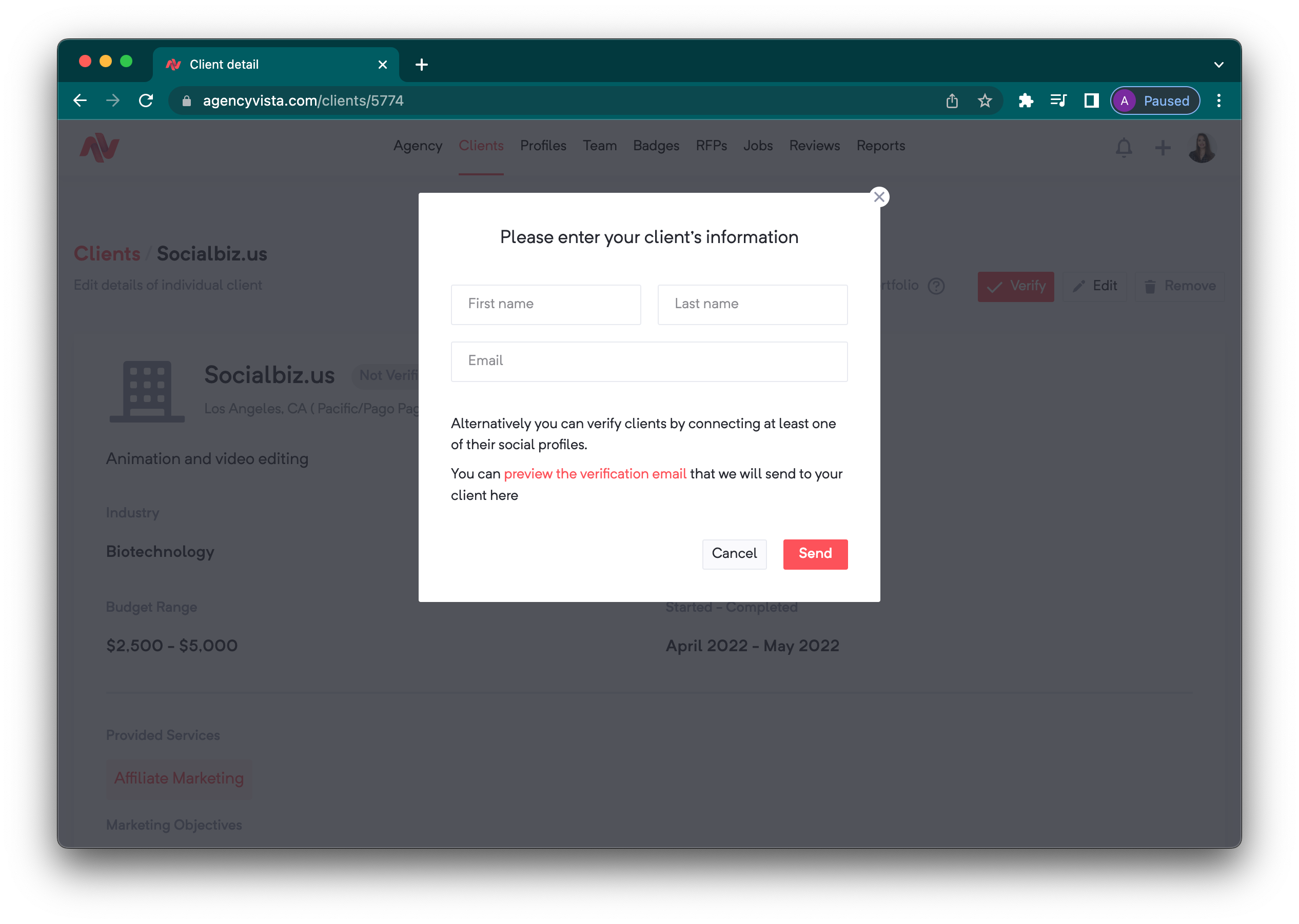
4. Add the client's name and email address and click Send. Click on the preview link to read what the actual email is going to be sent to your client.
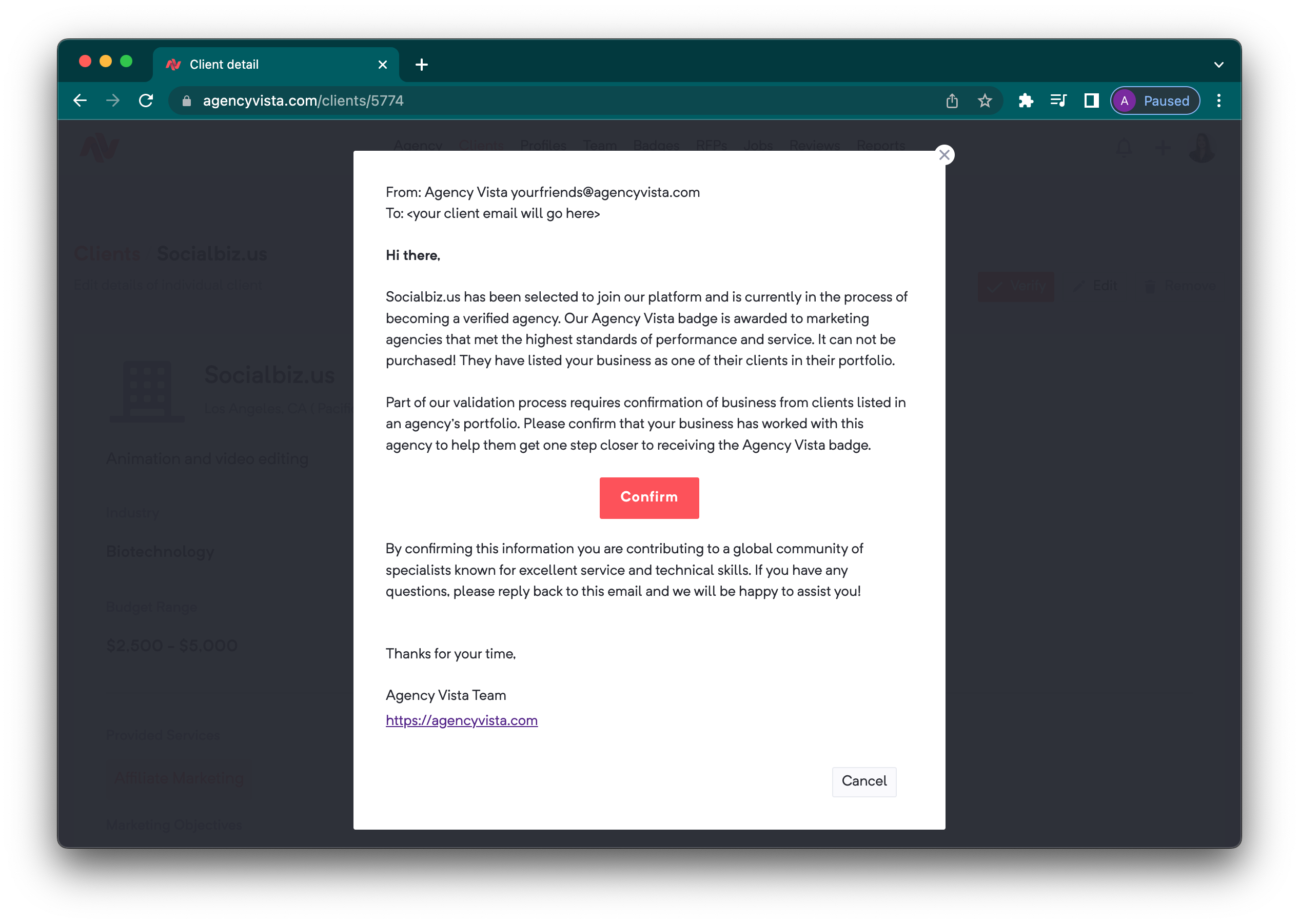
5. Once your client receives the email and confirms the client verification, your client will now show as Verified and you will have the option to include them in your public portfolio (by default, all clients are hidden unless you toggle this option to make them public). 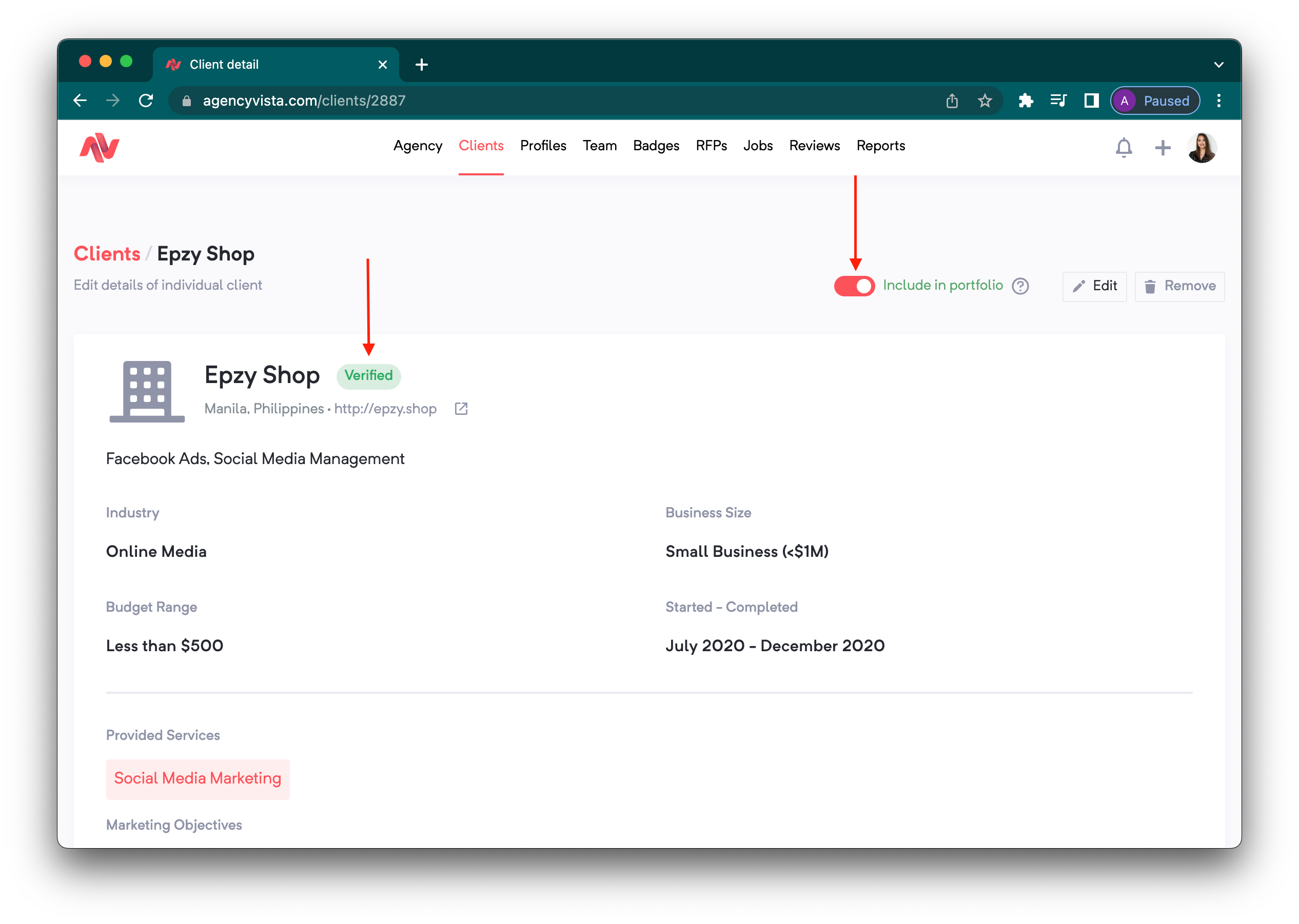
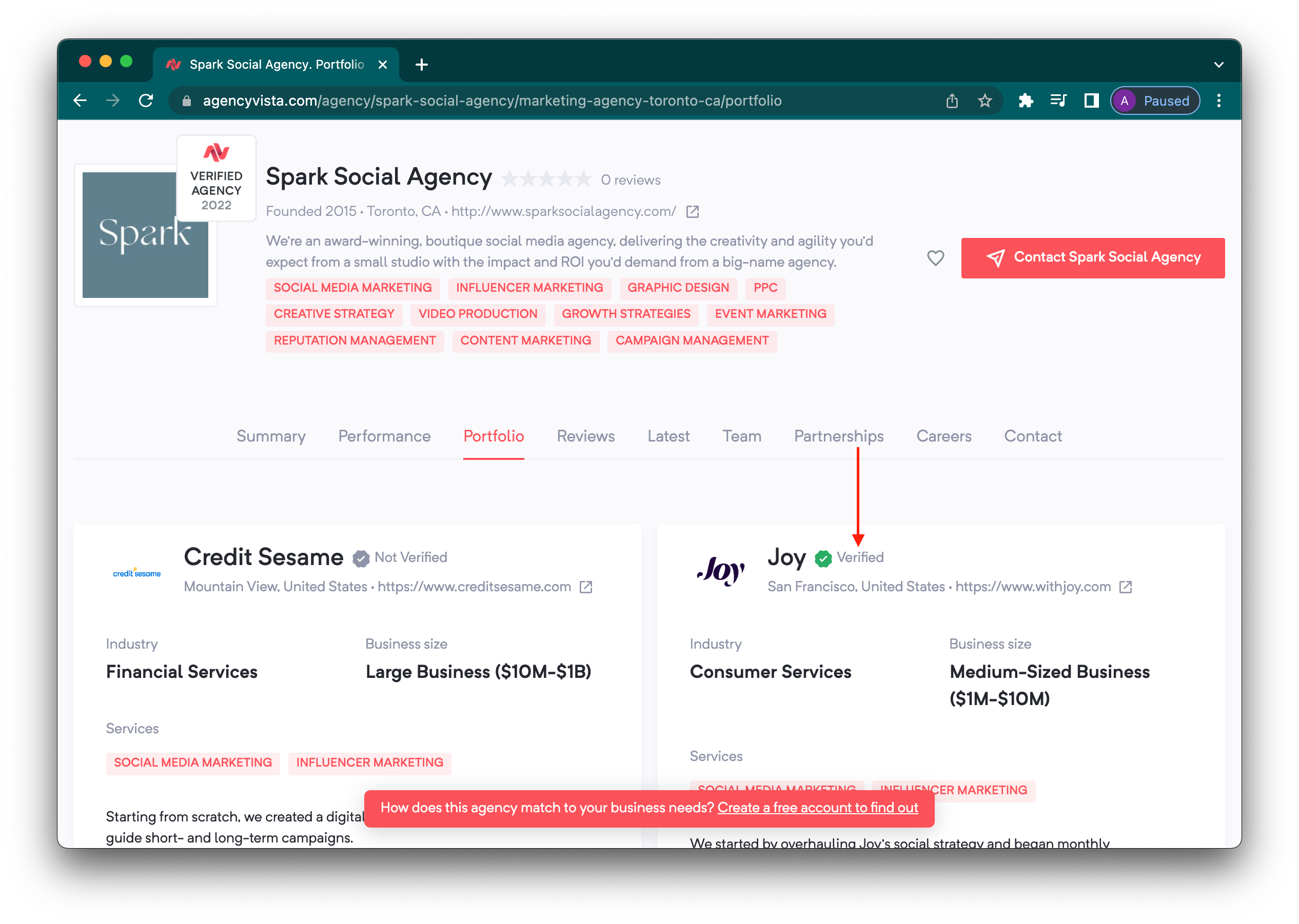
6. The verified clients you made public will now appear in your client portfolio which will be seen by potential customers!
Check out this video to learn more about verifying clients in Agency Vista:
Comments
0 comments
Please sign in to leave a comment.